Overview
General structure
The general structure of how the control system is made, tested, and deployed works like this:
The control system is made using Simulink, using mostly the base functionality to calculate the needed values for different parts of control. Once the general control system is implemented, it is either tested directly in Simulink, mostly using different parts from the Simscape suite to simulate the hardware, or it can be tested by generating the code, and using that code in a separate, more high level simulation program like Gazebo or Webots.
The deployment is mostly managed by the embedded team, as once the code is generated, it can be used in whatever is necessary for the embedded team.
Required software
MATLAB Simulink with the following add-ons:
- Embedded Coder
- Simulink Coder
- Simulink Compiler
- MATLAB Coder
- MATLAB Compiler
Code generation
In general the code is generated from Simulink blocks, where all the control has to do is done inside this one block:
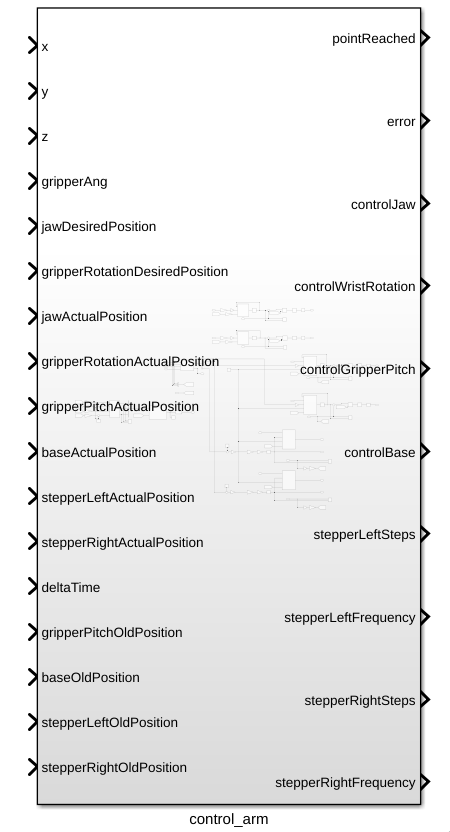
To be able to generate C code for the STM32's you will first need to activate the embedded C coder, which can be done by clicking on the apps tab in the top bar, and then searching for C embedded coder in the apps bar.

After the embedded C coder is active, a new tab called C CODE appears, where you now have to press the quick start button to start the code generation process:

When in the quick start menu, the only critical options for this project are to set the system which gets generated to the main control block of this project, and to set the word size to be the same as the ones from the STM32.
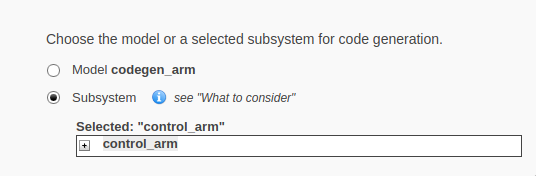
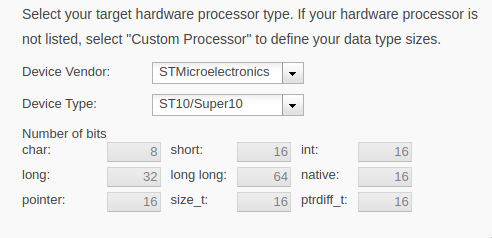
The rest of the settings work best on the default option, but can be changed if deemed necessary.