# Introduction
### **System Architecture**
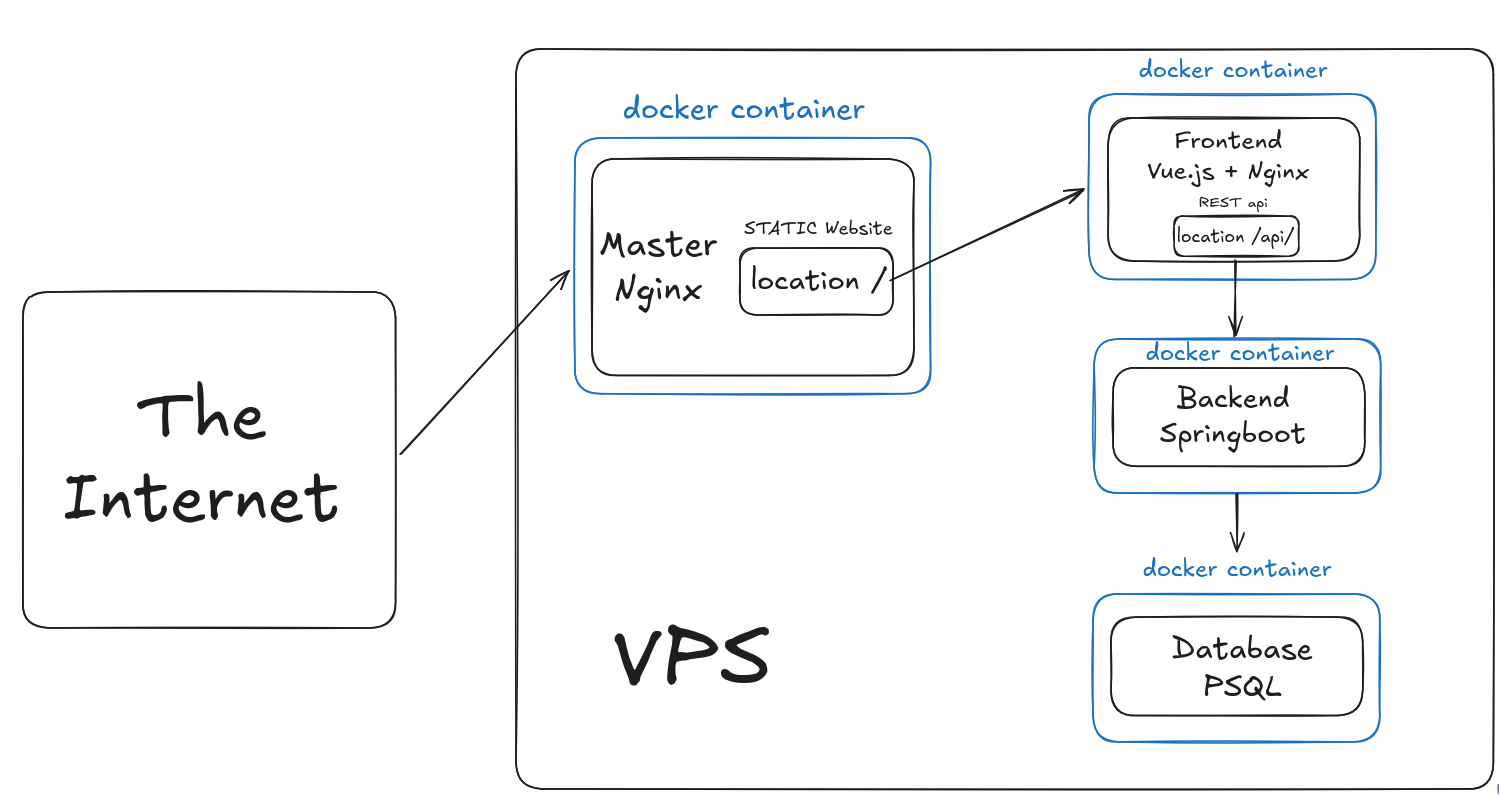
The landing page consists of these parts:
- **Reverse Proxy (Nginx):** Acts as the entry point. It handles SSL termination and routes traffic to the Vue.js static files or the Spring Boot API.
- **Frontend (Vue.js):** A Single Page Application (SPA) that handles the UI and user interactions.
- **Backend (Spring Boot):** The RESTful API that handles business logic, database transactions, and security checks.
- **Database (PostgreSQL):** Persistent storage for news, team members, and configuration.
- **Containerization (Docker):** Everything is wrapped in Docker containers
Which is easier to understand with following diagram:
[](https://bookstack.roboteamtwente.nl/uploads/images/gallery/2026-04/xqMimage.png)
### **Admin Dashboard**
Our system implements a two-tier auth system to log in.
1. **The Super User:** One hard-coded or environment-variable-based account used for initial setup or emergency access.
2. **Google OAuth 2.0:**
- **The Whitelist:** Access isn't open to any Google account. Only emails ending with `@roboteamtwente.nl` are permitted.
- **Logic:** When a user logs in, the backend checks if the returned Google email exists in the authorized list. If it’s not there, the Spring Boot Security filter returns a `403 Forbidden`.
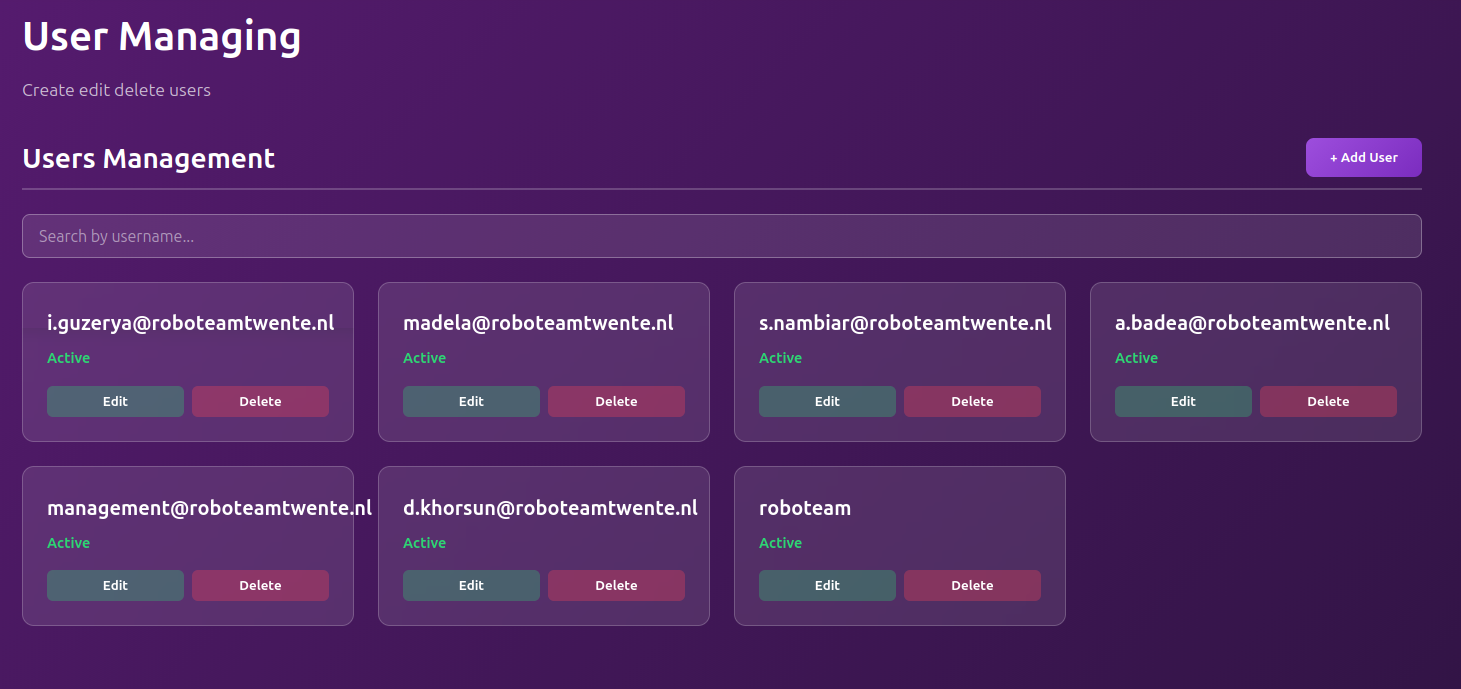
\*Adding new users to authorized list: while everyone is technically allowed to login if they are have a @roboteamtwente.nl email, you still have to add them to website's whitelist. It is done in "User Managing" tab on admin's dashboard. It is possible to have a user listed, though deactivated, for book keeping reasons.
[](https://bookstack.roboteamtwente.nl/uploads/images/gallery/2026-04/eJ8image.png)
### **Admin Panel & Content Management**
The website isn't just a static landing page; it’s a dynamic CMS. Almost all pages hold content that you are able to edit and manage through the admin panel.